Follow the instructions below to receive SnapSnip virtual consultation tool for up to 2 years for free!
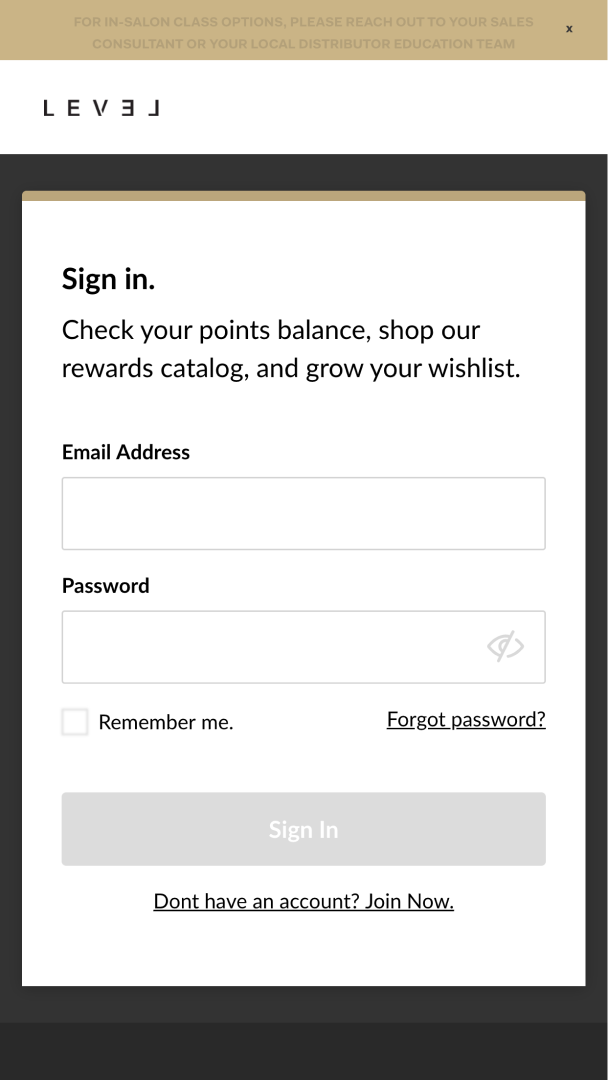
1. Sign in to your LEVEL account:
https://www.levelloyaltyrewards.com/default/my-account
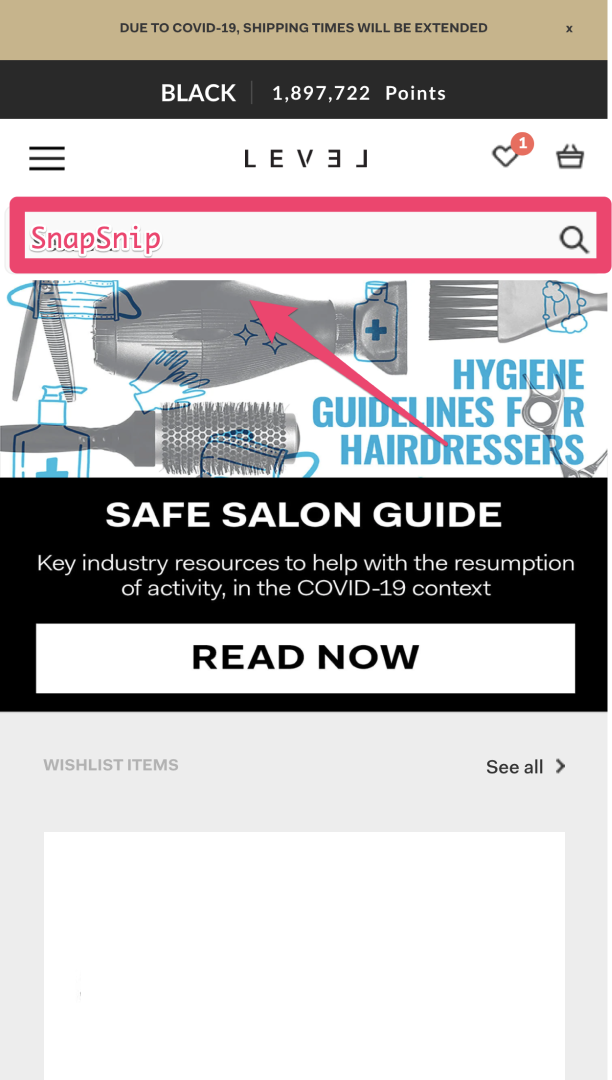
2. Type "SnapSnip" in the search bar.
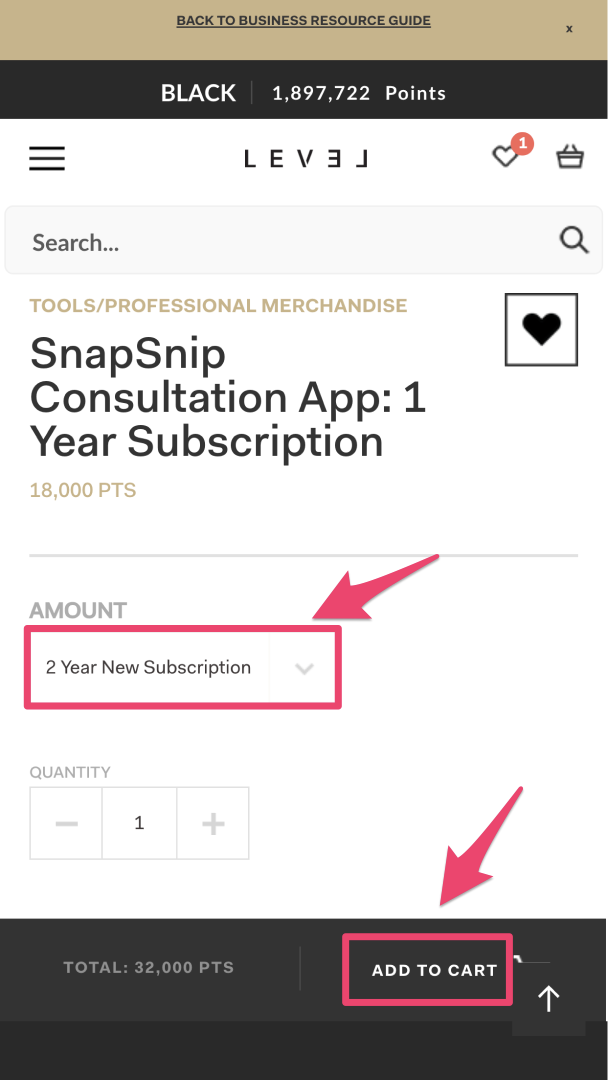
3. Select 1 or 2 Year option, and then click "Add to cart".
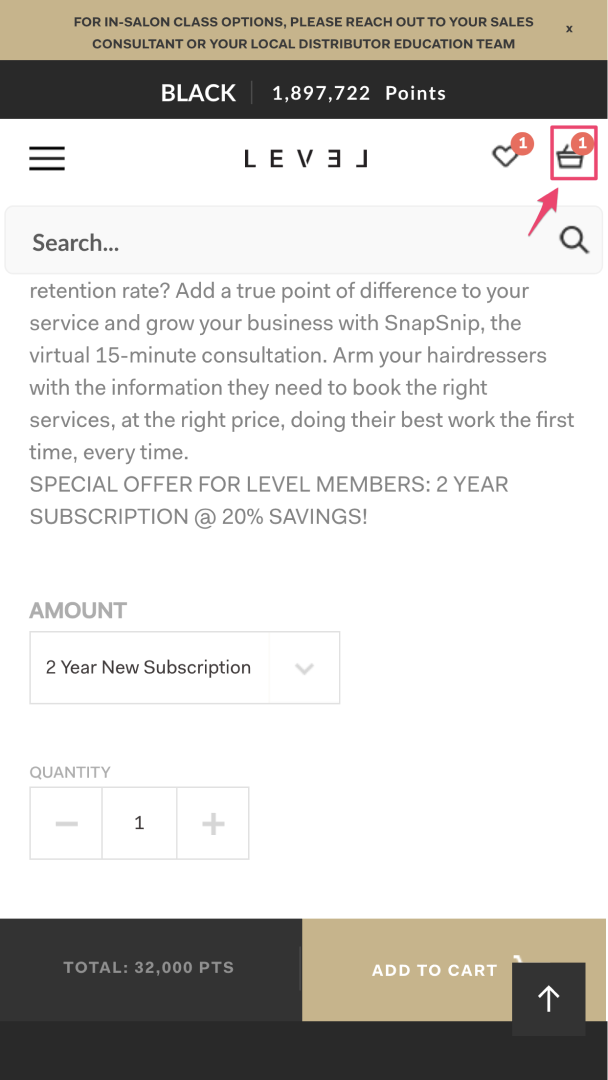
4. Go to your cart in the upper right corner.
5. Go to your checkout at the bottom of the screen.
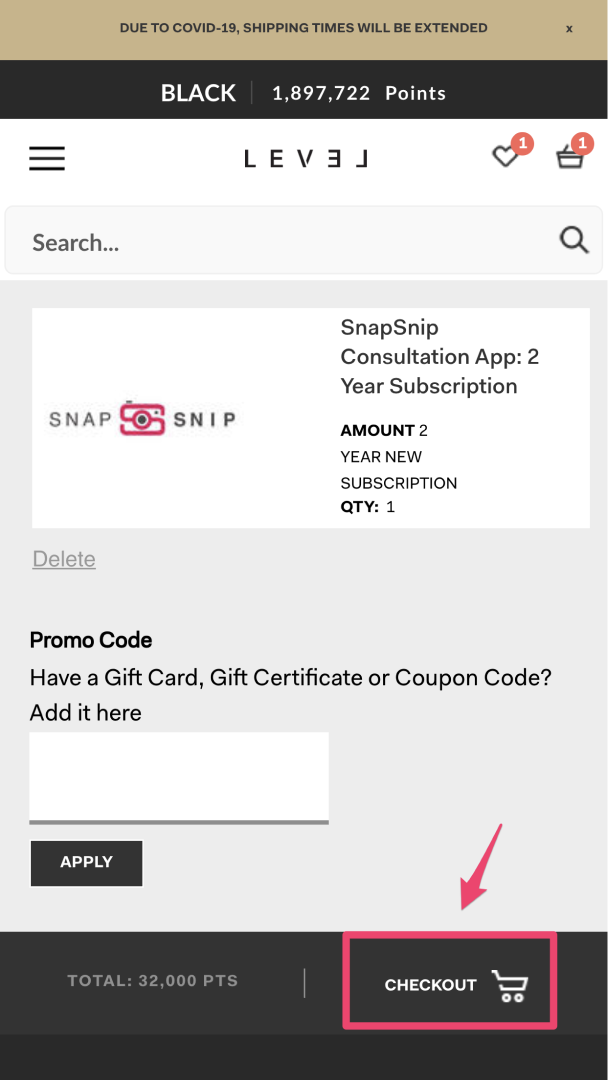
6. Complete your checkout.
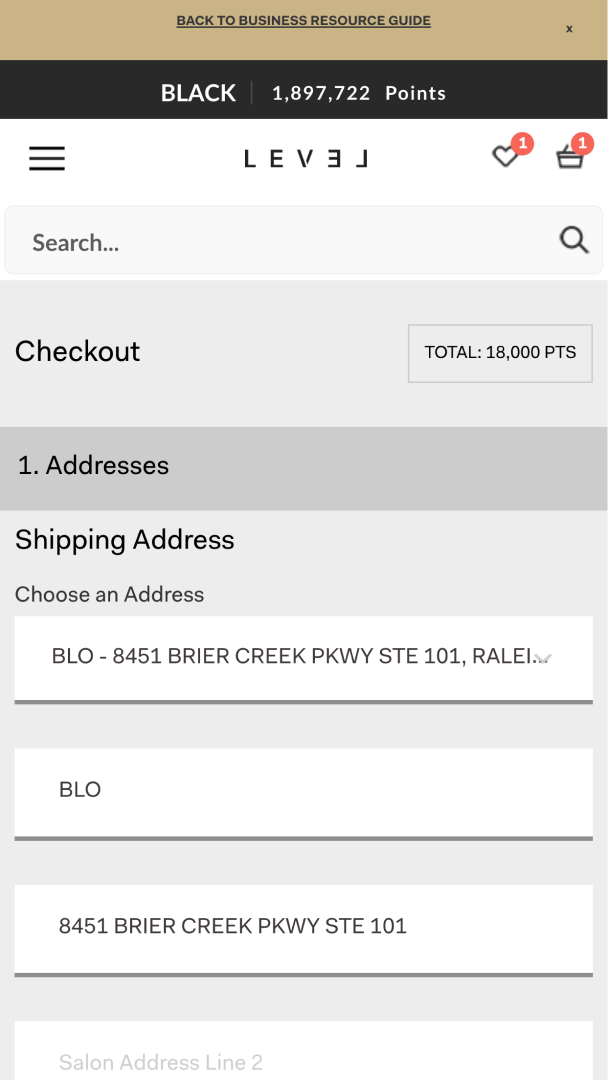
7. Congratulations! You are all done. Our team will get a notification from LEVEL telling us that you have signed up and we will send your SnapSnip link so you can start doing virtual consultations right away!


